The recipes you find online, in one place. And a shopping list that does the sums.
Copy the link of a recipe page, or share it from Safari. Kochzettel puts the ingredients, steps and photo into your recipe book on your iPhone.
Kochzettel is coming to the App Store soon.
Saving recipes is free, with no account and no ads. Only the meal planner costs money.
From a link to your book
-
1
Paste or share the link
Copy the link and paste it into the box that asks for a recipe link. Or tap Share in Safari and choose Kochzettel.
-
2
The recipe is in your book
Ingredients with amounts, steps, servings, times and the photo come with it. You don't need the website to cook from it after that.
-
3
Onto the shopping list
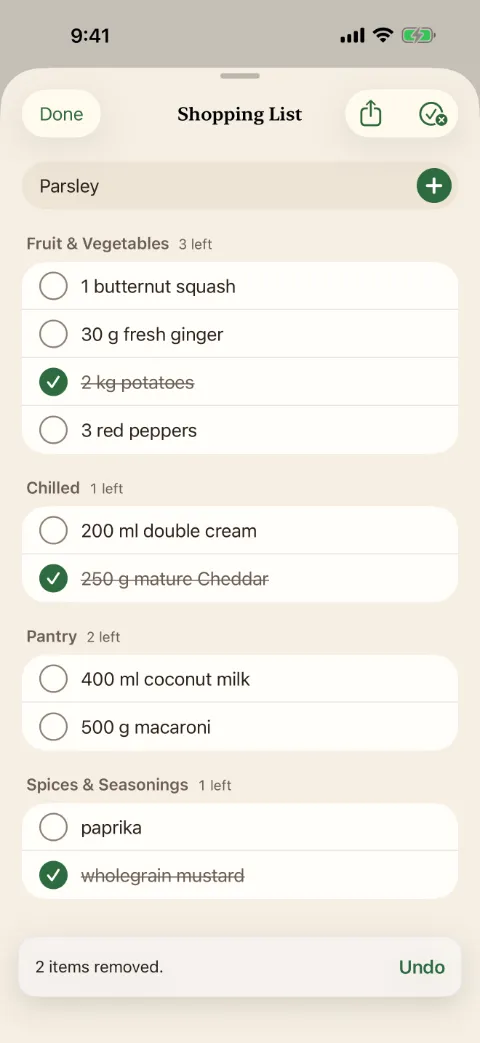
Tap Add to Shopping List, then do the same with the next recipe. Send the list as a text to whoever is doing the shop.
No recipe found?
Not every page gives out its recipe in a form Kochzettel can read. Then you type it in yourself, with the title, photo and link already filled in.
At the stove
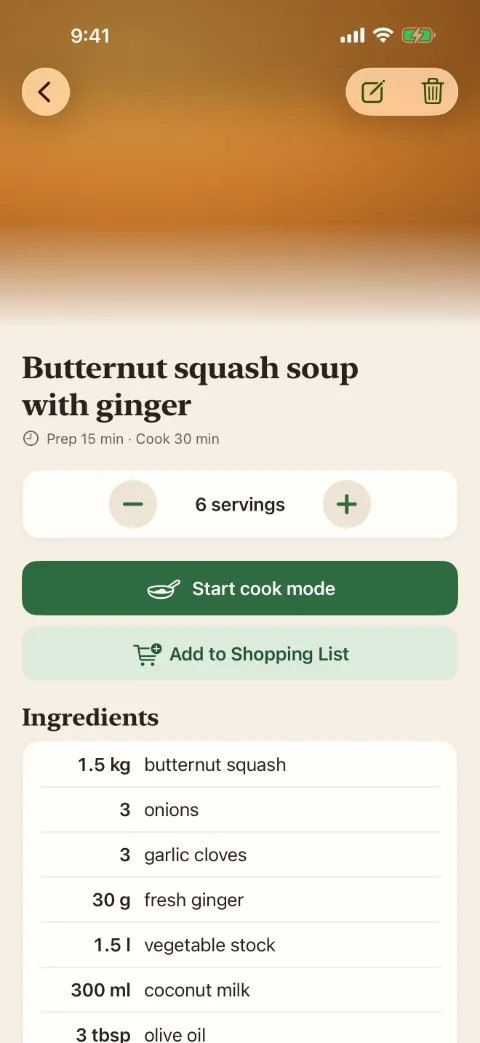
Cook mode shows each step in large type and keeps the screen on, even when your hands are covered in dough. You tick off ingredients as you go. Change four servings to six and the amounts change with it.
Search by title, ingredient or tag. Type "leek" and you see every recipe with leeks in it.
Planning the week, with Kochzettel Plus
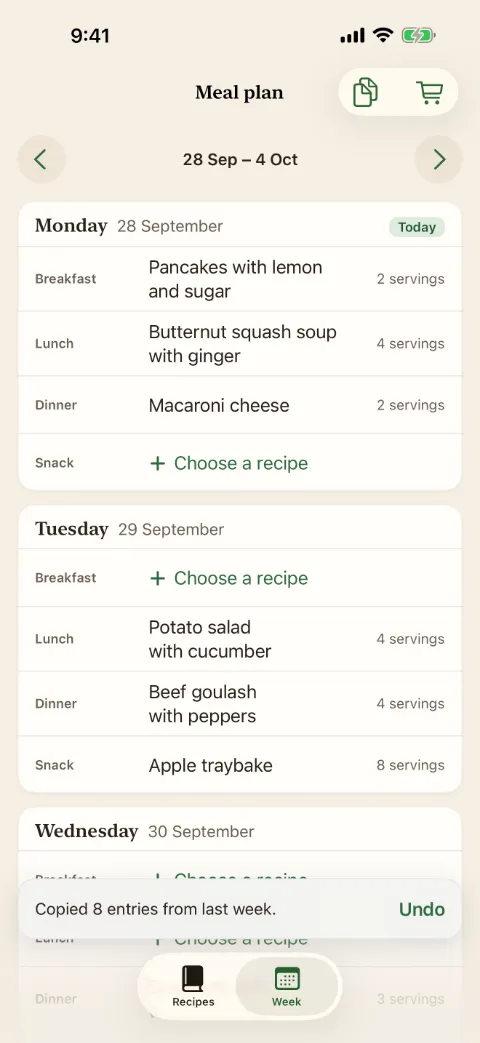
Seven days, each with breakfast, lunch, dinner and a snack. Tap a slot, pick a recipe and the servings. One tap turns the whole week into a shopping list, and last week's plan copies over just as quickly.
What it costs
Free, and it stays that way
As many recipes as you like, importing, search, cook mode, a shopping list from any recipe and iCloud sync. No trial screen when you first open it.
Kochzettel Plus
The meal planner and its shopping list for the whole week. €4.99 a month or €24.99 a year, as a subscription through Apple.
Cancelling
Any time, in your iPhone's Settings under Subscriptions. Your recipes and your shopping list stay as they are without it.
Your recipes stay with you
No account
Kochzettel has no account and no server of its own. We can't read your recipes.
iCloud, or just this iPhone
Recipes, plans and lists live on your iPhone and, if you're signed in, in your own iCloud. Without iCloud everything works the same, on this one iPhone.
No ads, no tracking
We only get crash reports from Apple if you've turned on sharing with app developers. They aren't linked to you.
Trash
Deleted recipes wait in the Trash for 30 days, and you can bring them back from there.
What Kochzettel doesn't do
Kochzettel imports recipes from websites. It can't take them from Instagram, TikTok, YouTube or Facebook, and it doesn't read photos or PDFs. It doesn't show nutrition values or calories. You can't share a recipe book with a second person; the shopping list goes out as text. It is made for the iPhone, and built for German recipe sites and metric amounts: English pages import too, but cups and ounces aren't converted.
Questions
How to type in a recipe yourself, how iCloud sync works, and how to restore or cancel a subscription are all on the help page. For anything else, write to support@larchline.co in English or German. You'll get an answer within 24 hours.